InPraise Keys Is Now on Google Play
Today, October 15, 2026, we're releasing InPraise Keys on Google Play. It's a playable worship rig for Android phones and tablets: layer instruments, shape your sound, and prepare the presets you want ready when the next song begins.
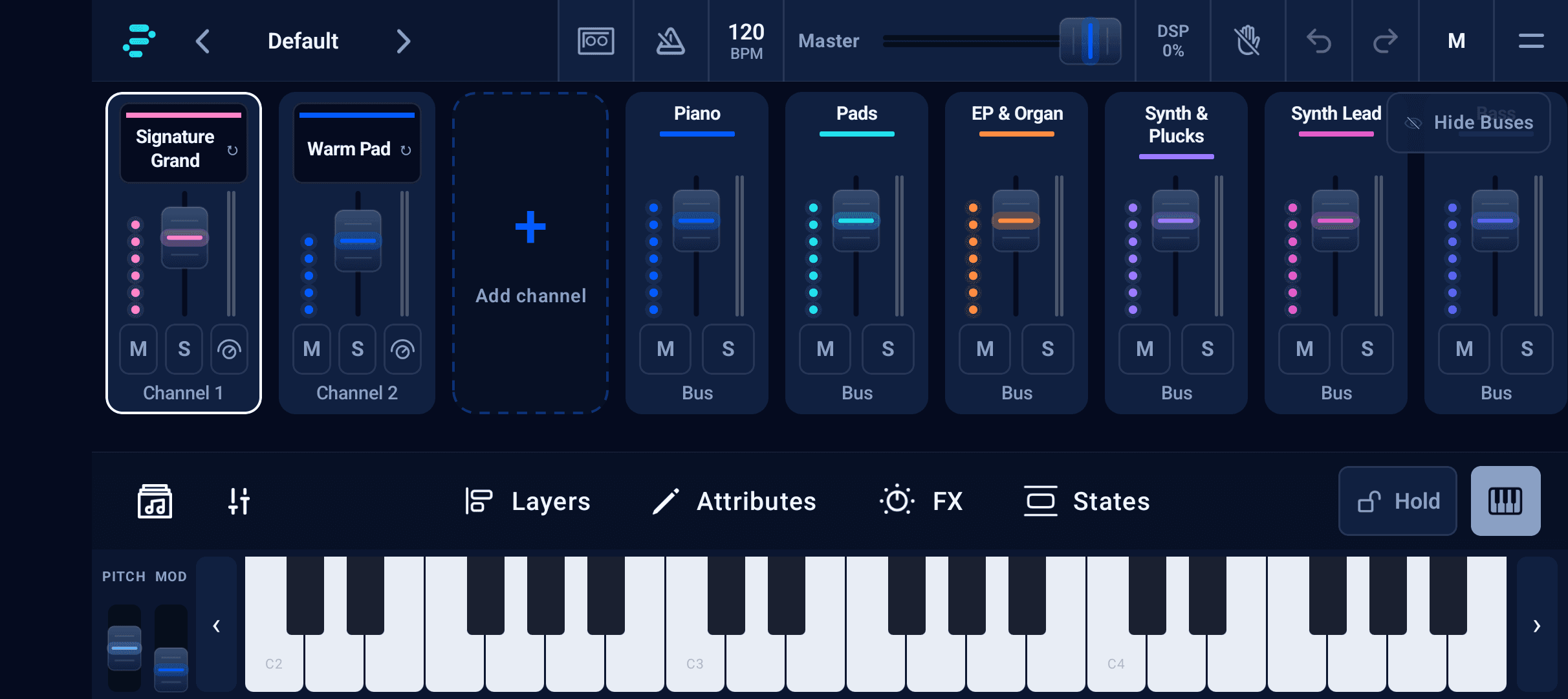
Start with a piano. Add a pad underneath it, bring in strings for a chorus, or split the keyboard for a different part in each hand. InPraise Keys brings those sounds together in a landscape mixer designed around playing, rehearsal and live worship.
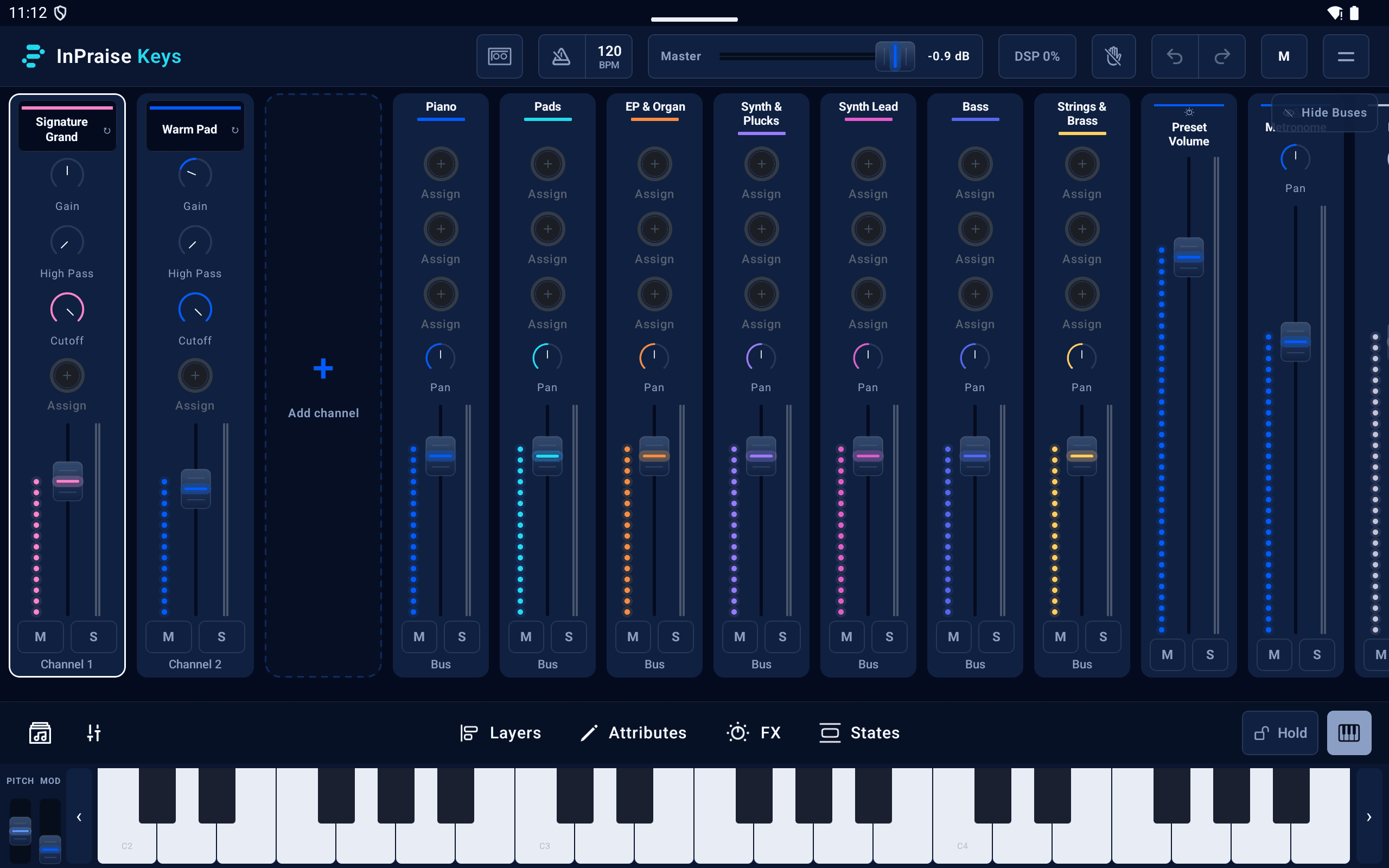
Build a sound for the song
Choose from piano, electric piano, organ, pads, synths, strings and more. Blend sounds into layers, set their keyboard ranges, and balance each channel in the mixer. A quiet piano-and-pad sound can become the starting point for a fuller arrangement as your set develops.
Use EQ, compression, chorus, echo and reverb to give each part its place. The available tools grow with your plan; Pro adds the complete audio effects collection, deeper synthesizer editing, the sampler and SF2 SoundFont imports for bringing your own sounds into the rig.
Play from your phone, tablet or MIDI keyboard
The onscreen keyboard lets you try a sound or work on an idea directly on your device. Connect a compatible USB or Bluetooth MIDI controller when you want to play from your keyboard. MIDI learn, included with Player and above, lets you map supported controls to your setup.
For a new setup, our gear and connections guide explains the essentials. The low-latency audio guide helps you choose an audio path and settings that balance response, sound quality and reliable playback.
Prepare the set, then stay with the music
- Save your rig as a preset so you can return to its instruments and settings.
- Use preset states for changes within a song, such as a verse and chorus balance.
- Arrange presets into setlists for rehearsal and Sunday morning.
- Keep an ambient bed underneath the band with the built-in Worship Pads player.
- Use the metronome while practicing, then record a rehearsal to listen back or share a take.
Start with Free Demo
Download InPraise Keys and choose Free Demo to try the app before upgrading. The demo includes a starter instrument selection, limited saving and recording, and 20-minute playback sessions with some keys disabled. It's a way to explore the app and check your setup before choosing a plan for live use.
Player, Stage and Pro are one-time in-app upgrades with no subscription. Each tier builds on the one before it, adding instruments, channels and tools. Visit the plan and instrument comparison to see exactly what's included; Google Play shows the purchase price for your region.
Your first sound starts here
Get InPraise Keys on Google Play, then follow the illustrated getting-started guide to prepare your library, choose an instrument and save your first sound. Our Resources library includes the complete manual and practical tutorials, with Phone and Tablet views to match your device.
Thank you to everyone making room for InPraise in your rehearsals and worship services. We look forward to hearing what you play.
InPraise Keys FAQ
Where can I download InPraise Keys?
InPraise Keys is available for Android phones and tablets on Google Play, released October 15, 2026.
Can I try InPraise Keys before buying a plan?
Yes. Free Demo lets you explore a starter instrument library with 20-minute sessions, some disabled keys, and saving and recording limits. Player, Stage and Pro are optional one-time upgrades.
Does InPraise Keys require a MIDI keyboard?
No. You can play with the onscreen keyboard. A compatible USB or Bluetooth MIDI controller is optional; see the gear and connections guide for setup details.
How is it different from WorshipPadsPro?
InPraise Keys is a playable instrument rig with layered sounds, effects, presets and setlists, plus a built-in Worship Pads player. WorshipPadsPro is a focused ambient pad player for keeping a musical bed underneath worship.
Get InPraise Keys on Google Play
Your worship rig for Android phones and tablets. Start with Free Demo, explore the instruments, and choose a one-time upgrade when you're ready.