InPraise Keys 1.2: More USB Audio Interfaces, FX Drum Pads and MIDI Monitor
InPraise Keys 1.2 is now on Google Play. It's a big update for anyone playing through a USB audio interface or keyboard, and it brings FX Drum Pads to every plan with a new sound library.
Works with many more USB audio interfaces
- Interfaces with four or more outputs now play properly on outputs 1–2, including the MOTU M2, Audient EVO 4, SSL 2+, Arturia MiniFuse, Behringer UMC204HD/404HD and Focusrite Scarlett 4i4.
- USB 3 interfaces, such as the Steinberg UR22C and UR44C, now play.
- Keyboards with their own USB audio, such as the Yamaha MOXF and MX series, can play the app's sound, and their keys keep working at the same time.
- Interfaces that keep their own clock no longer drift or click over time.
- Interfaces that play only one sample rate switch the app to that rate automatically. If you pick a rate your interface can't play, the app keeps your current setting and tells you why, instead of moving the sound to the phone speaker.
- Switching between interfaces is faster.
- Interfaces such as the M-Audio AIR 192, Behringer UMC, Focusrite Scarlett Solo and 2i2 (1st and 2nd gen), PreSonus AudioBox and many USB DACs work again.
Playing at small buffer sizes is smoother too, especially on phones that previously crackled at a buffer size of 128.
MIDI and controllers
- Sustain pedals are recognized automatically, whether on/off or half-pedal, and whichever way they're wired. Long-press the pedal on the MIDI Learn card for its options.
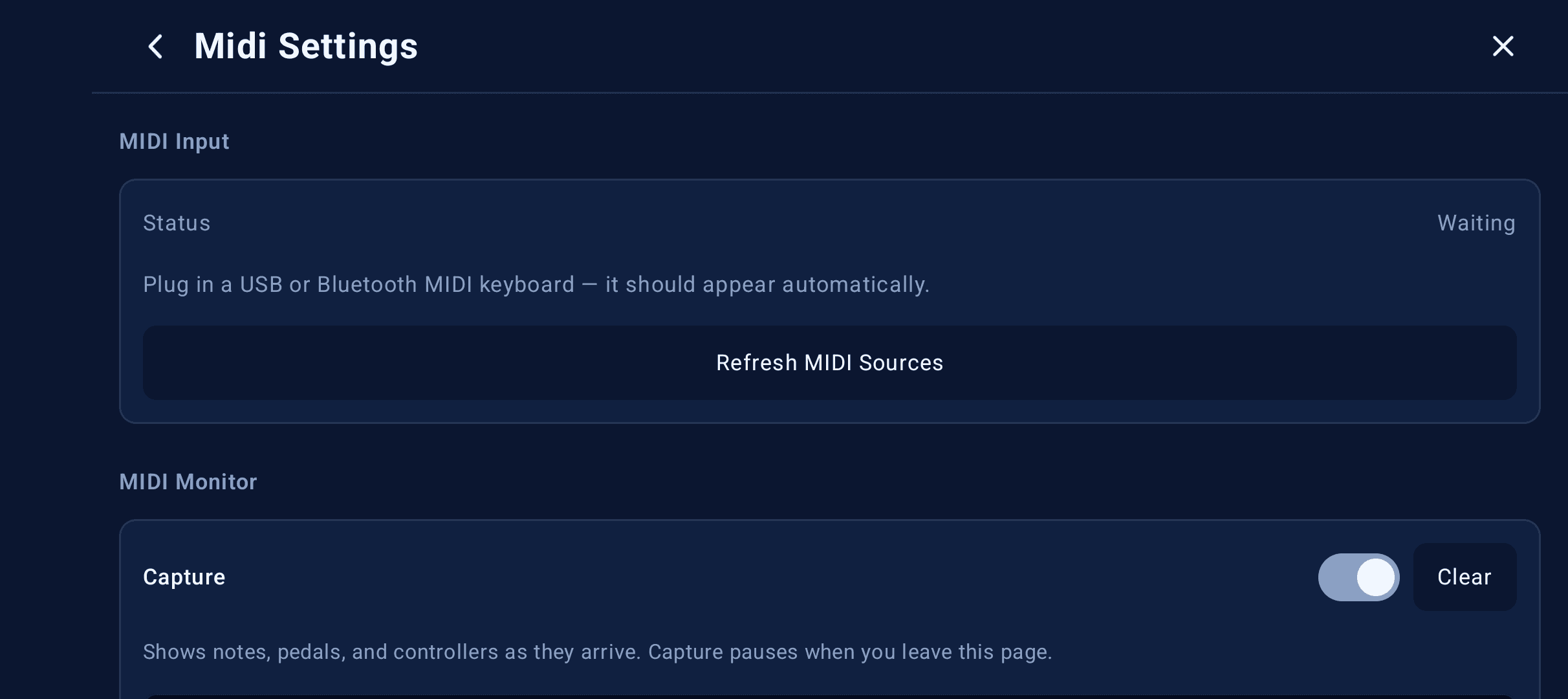
- MIDI Monitor (Settings › Midi Settings) shows the messages arriving from your keyboard, so you can check what a key, pedal or button sends.
- USB MIDI compatibility (Settings › Midi Settings) reads keyboards that Android connects but never hears, such as some Yamaha DGX and PSR models.
- Pitch bend, mod wheel and sustain always work on every channel, even after you've learned a control on one of them.
- Refresh MIDI Sources now truly reconnects a keyboard that went quiet.
FX Drum Pads: new library and controller layouts
FX Drum Pads put swells, hits, cymbals, shakers and chimes under your fingers, ready to trigger between songs or on a big downbeat.
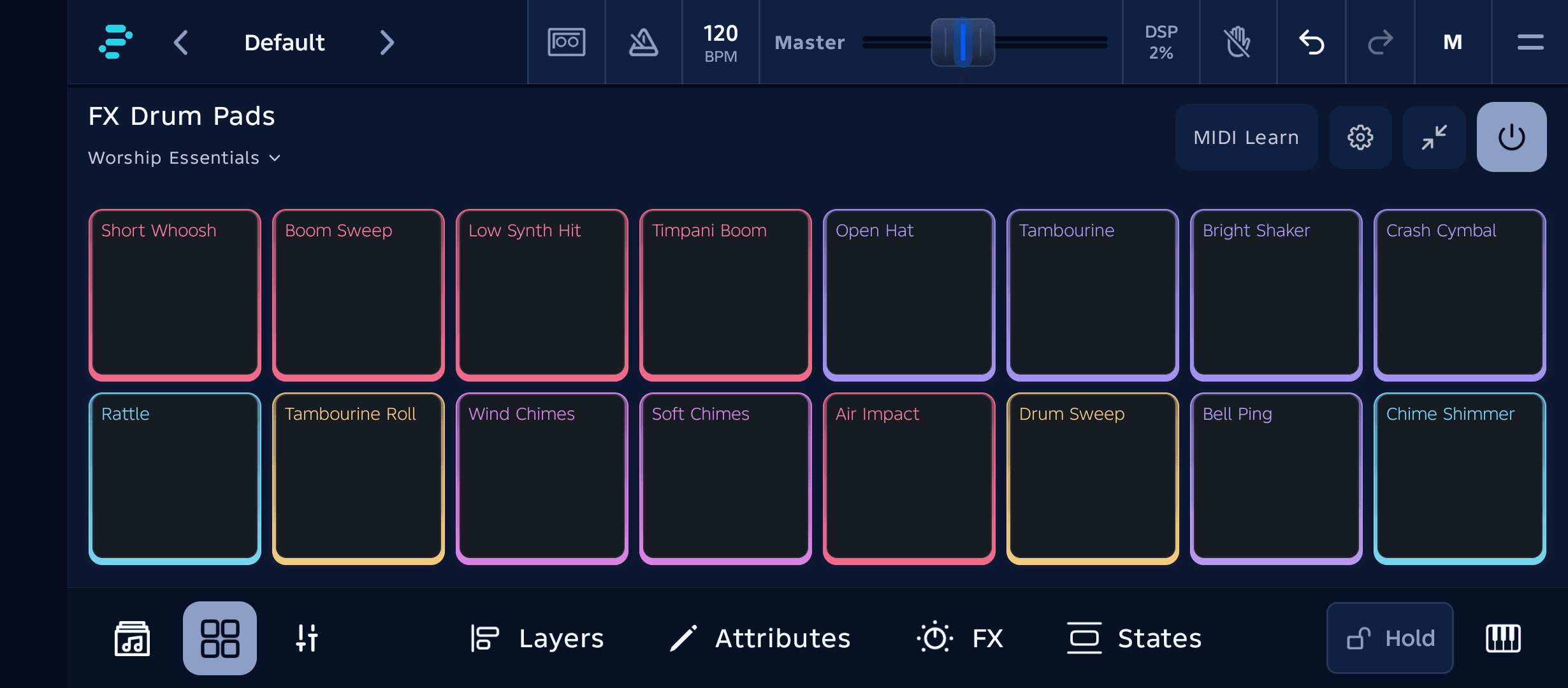
- A new FX Pad Library with categories, favorites and vocals. Pick a sound for any pad.
- FX Drum Pads in every plan: Free Demo plays pads 1–4 with 12 sounds, Player 8 pads with 35 sounds, Stage all 16 pads with 65 sounds plus your own imported sounds, and Pro all 75 sounds.
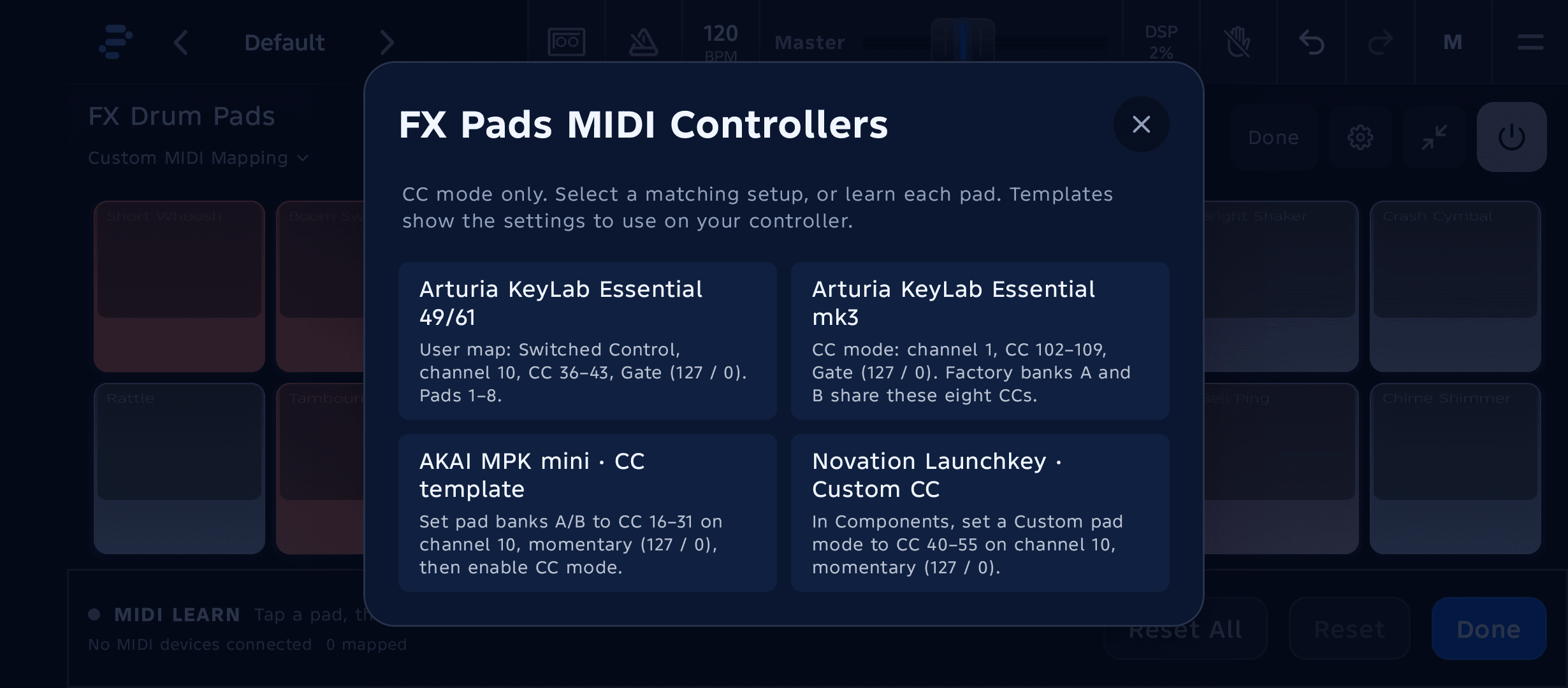
- Volume and reverb sliders in FX Pad Settings.
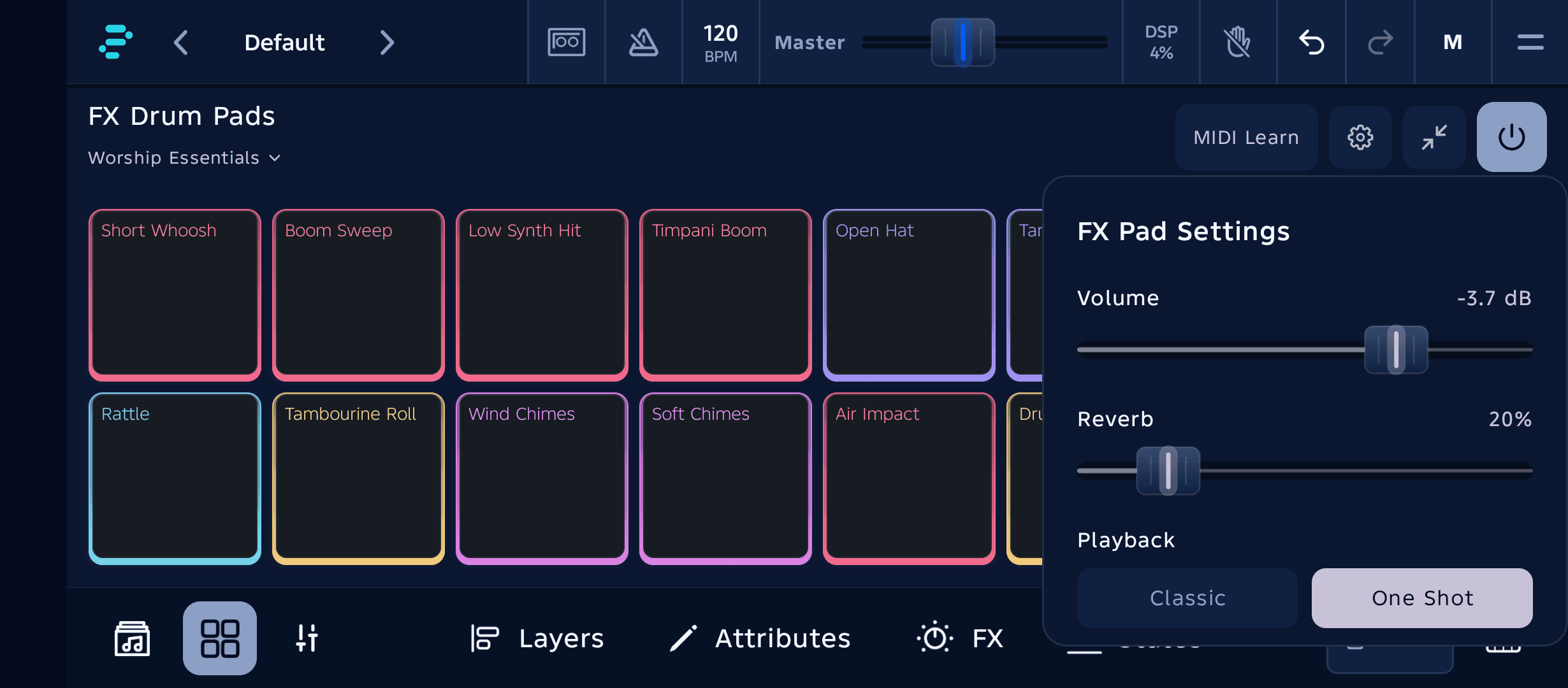
- Ready-made controller layouts for the pads on the Arturia KeyLab Essential (including mk3), AKAI MPK mini and Novation Launchkey. Each one shows the settings to use on your controller.
- Pads mapped to your controller are ready the moment the app opens, so the first hit lands on time.
Also in 1.2
- A longer Pro trial: try everything in Pro for 5 minutes, up from 3, including all 16 FX pads and all 75 FX sounds. Downloads finish before the trial clock starts.
- Arpeggiator: drag to set the pattern length, with a live step counter and a playhead that follows the beat. Full velocity is now easy to reach at the top of a step.
- Recordings and instrument previews now follow your Output 1–2 and Master volume and mute.
- Report a problem (Settings › Report a problem): describe what went wrong, reproduce it, and the app sends us what we need to fix it.
- Help improve InPraise: the app can share technical diagnostics, such as audio, USB and MIDI details, device model and app version, never your recordings or personal content. You can turn it off any time in Settings › Report a problem.
Update InPraise Keys on Google Play. For help choosing and connecting an interface, read the gear and connections guide and the low-latency audio guide.
InPraise Keys FAQ
Do FX Drum Pads work in Free Demo?
Yes. From 1.2, Free Demo plays FX pads 1–4 with 12 sounds. Player, Stage and Pro unlock more pads and sounds.
My USB audio interface wasn't recognized before. Should I try again?
Yes. InPraise Keys 1.2 supports many more interfaces, including 4-output, USB 3 and keyboards with built-in USB audio, and fixes several popular interfaces that were refused before.
Get InPraise Keys on Google Play
Your worship rig for Android phones and tablets. Start with Free Demo, explore the instruments, and choose a one-time upgrade when you're ready.